Reinventing the terminal
I’ve had this longing for a few specific features for my terminal for a long time but despite the plethora of options available, no existing terminal app that I’ve come across supports them. So I decided to do something about it. The result is NewTerm.
Introducing NewTerm
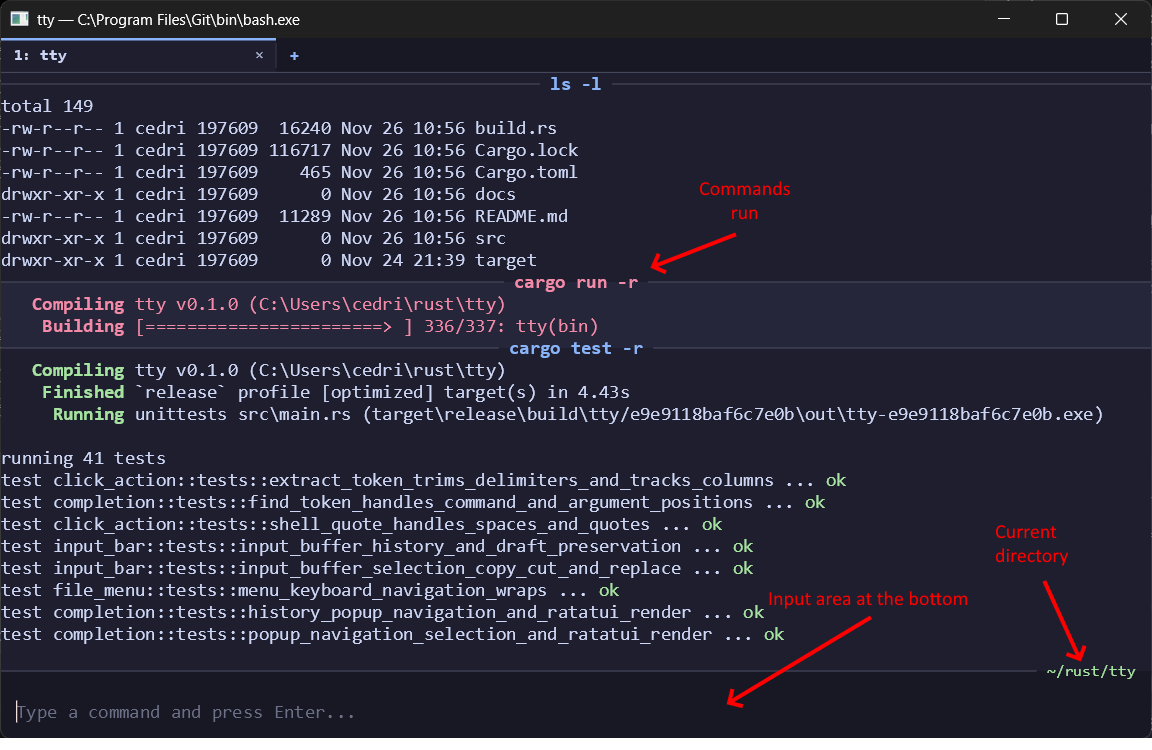
The first feature I wanted is a sticky input area at the bottom of the page. I’m sure the fact that I use Discord and Slack every day is a factor, but I’ve always found it messy that in standard terminal windows, input and output are mixed, which sometimes makes it a bit difficult to tell what happened.
Sticking the input area at the bottom of the window solves this problem and allows me to show a better delineation between input and output, as shown on the screen shot above. The command is centered and a horizontal bar clearly indicates what its output is. I also added alternating colors between successive commands in order to make it even easier to tell when a command ends and when the next one starts.
I am currently showing the current directory fleshed right, but that’s something I’m still playing with. How native prompts in the shell (PS1) and what the terminal shows is another area that I’m still exploring.
The screenshot also shows error output in red, although this can sometimes turn into a sea of red, so I’m not completely sold on this yet.
UI
Next I wanted to improve on two of the terminal functionalities I use the most often: TAB completion and history. Since Ratatui makes this kind of interface fun and easy to implement, it was easy to provide an improved experience for these two functionalities:
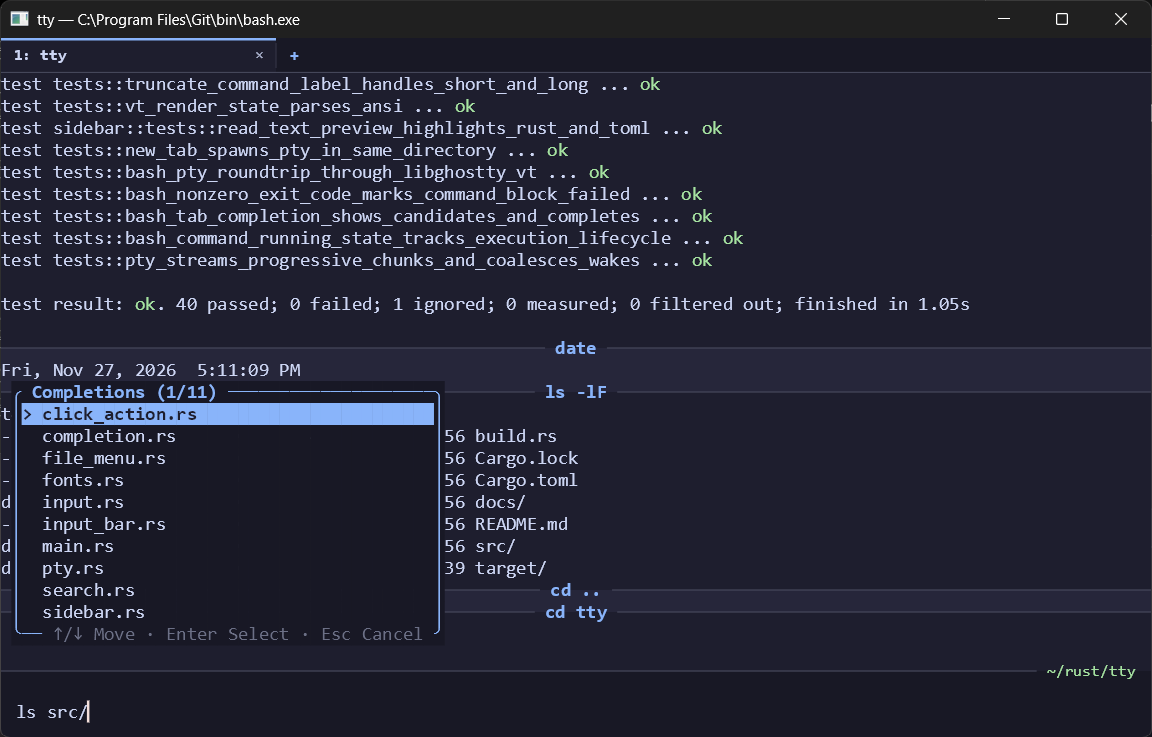
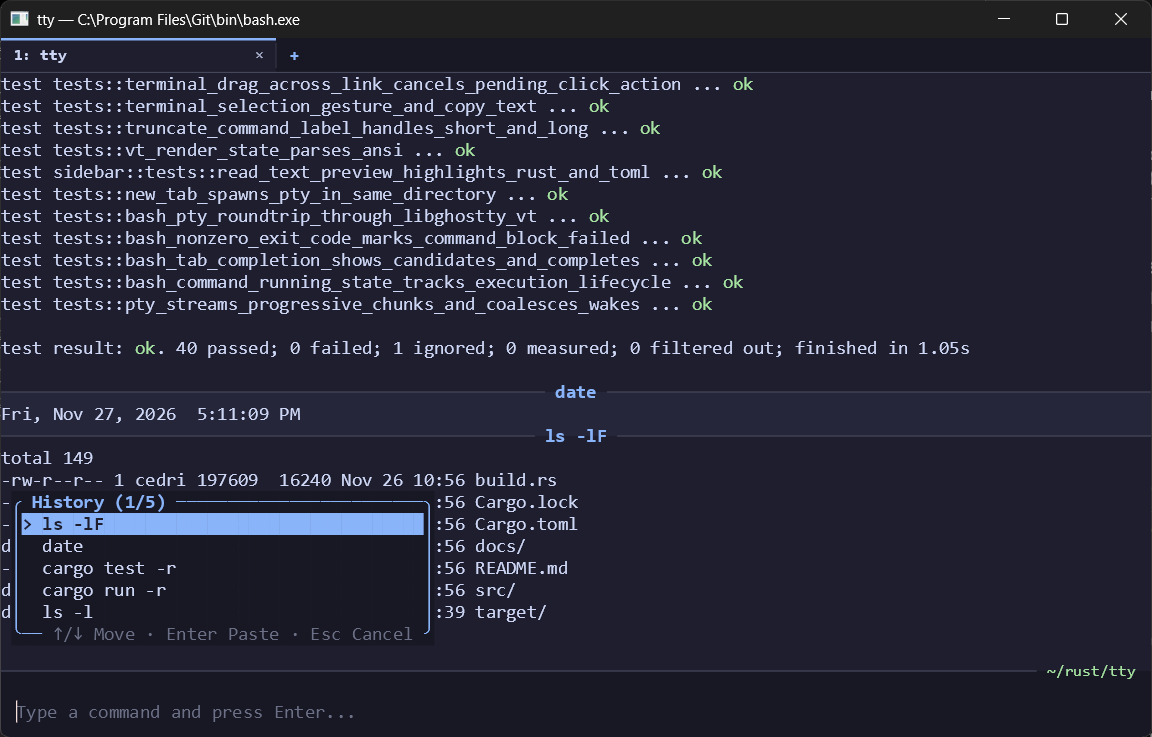
Note that when the History box is active, navigating through it with the arrows will also scroll the area to show you that command and its output.
Mouse support
I don’t use the mouse much when I’m using the terminal but I decided it can be occasionally useful to click on files and see a preview of them.
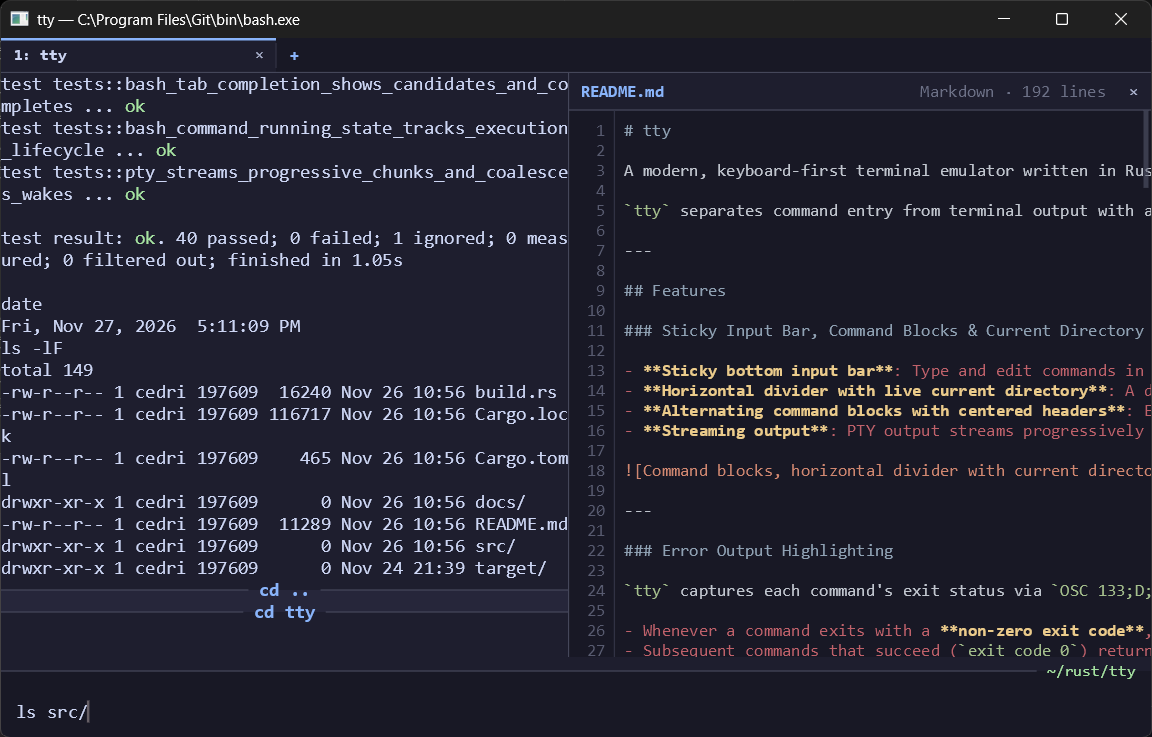
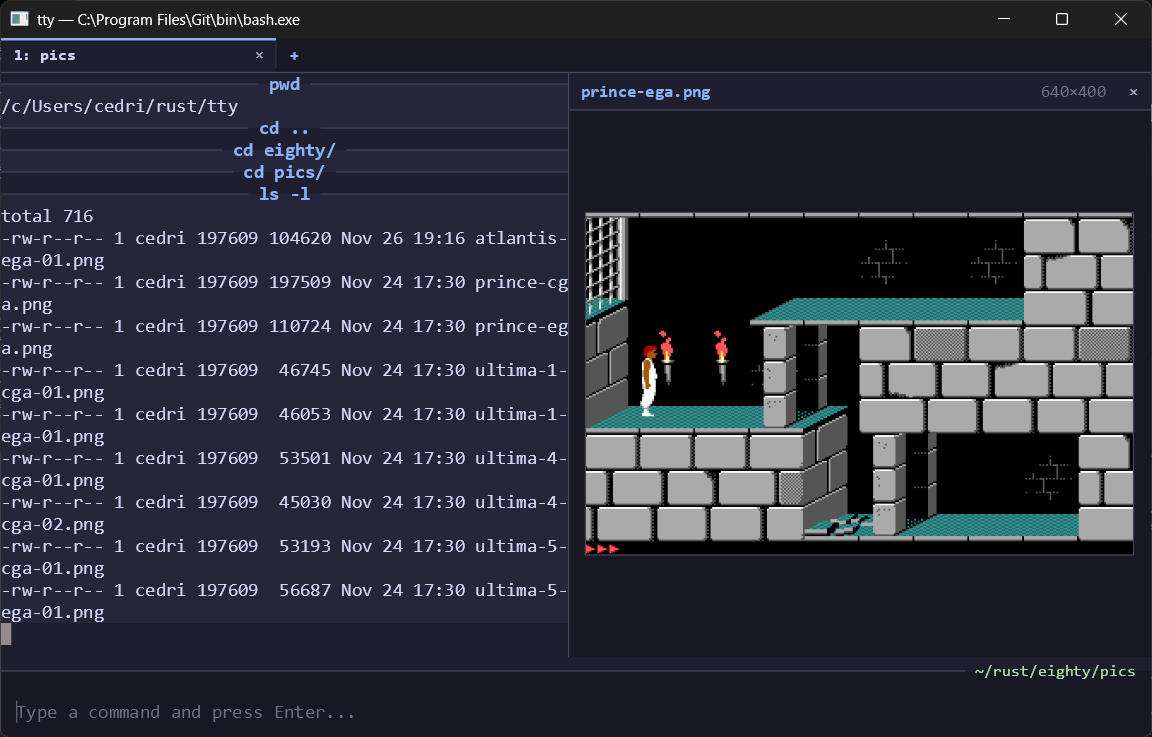
File types supported: pictures, text files, and directories (when you click on a directory, you cd to it).
Early conclusions
It’s fun to explore all these ideas and trying to figure out if they work as well in practice as in theory, so I’m going to keep playing with them, tune them, and experiment with more ways to reinvent the terminal.
If you have any suggestions, please send them my way or file a feature request!.