Yes, please restore my sessions
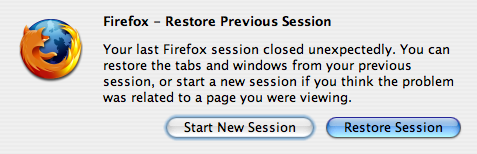
Have you ever seen this window?
It’s one of my favorite Firefox dialogs: it lets me restore all my windows and tabs when Firefox starts. Like most users, I usually have a constant set of certain windows (emails, blogs and a few other informational sites that I consult throughout the days) along with incidental windows depending on where my web surfing takes me.
There is one tiny problem with this dialog, though: I just don’t know how to configure Firefox to display it.
The only thing that seems to work is to kill the Firefox process.
Does anyone know a way to configure Firefox so that my windows and tabs are always saved when I exit?
Update: Thanks to Rob for the answer in the comments. The setting is hidden in the about:config panel.
Comments (11)
According to this article: http://kb.mozillazine.org/Browser.startup.page Set your browser.startup to 3 - Rob
Even better: install the "tab mix plus" addon (https://addons.mozilla.org/en-US/firefox/addon/1122). It has lots of options to improve your tab browsing experience, including better session management.
I find the easiest way is to install Opera. It's a much less bad browser.
Actually if you read the same page further, it explains where it is in usual configuration dialog:
C'est pas
I find it annoying when I often say "no, I don't want them back thank you" and I *still* get them. Dion
You should know Cedric.. Google has a firefox add-on called Browser-Sync (http://www.google.com/tools/firefox/index.html) I agree with Tom though, I mostly use Opera for my normal browsing. It has the coolest features first before anyone else.
Indeed, Mr Google employee; why aren't you using Google Browser sync? ;-). That way you can synchronize state across different machines. Know something about it that we don't? :-).
As was said above, it in the Options dialog. However, I think it's an example of bad UI design, as the option is hidden within a combo box. So, unless you already know, it's not apparent that the option is available, as the label for the combo box is just "When Firefox starts", which is far too generic to suggest that this option might be hidden under there. In fact, when this option first went into Firefox, I set it on my home PC, but at a subsequent point couldn't find the option on my work PC! Anyway, the feature itself is excellent. But I might also check out some of the other options to see what they add.
C
Settings -> Main Tab -> When Firefox Starts: "....previous tabs..."