Eclipse tip
A quick Eclipse tip that will help you keep your Package Explorer view tidy: you can define abbreviations for the packages you use. Open the Preferences, go to Java / Appearances, check the box and define your abbreviations:
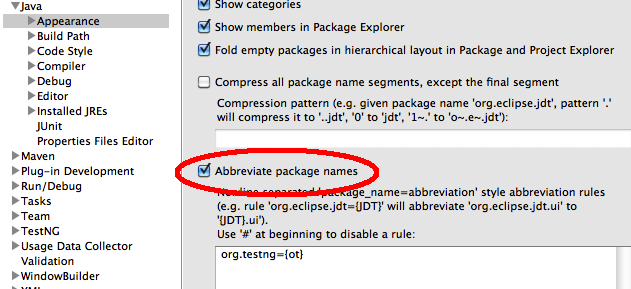
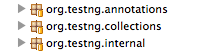
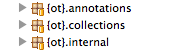
A quick Eclipse tip that will help you keep your Package Explorer view tidy: you can define abbreviations for the packages you use. Open the Preferences, go to Java / Appearances, check the box and define your abbreviations:
Comments (6)
I have been using the option: "Compress all package name segments, except the final segment". You would not need to write too many lines with this option for customizing the package structure, as in "Abbreviate package names". Just give a pattern, like "1." and that would give the package structure display as "o.t.annotations", "o.t.collections" or "o.t.internal".
Wow, can't believe I haven't thought of looking for that option before. Especially useful at work, all those "com.company" prefixes are really just wasting screen space.
[...] Feature kannte ich bisher noch nicht. Ist sehr praktisch. Dank an den TestNG Guru Cedric Beust f??r diesen Tip (Many Thanks to Cedric for this info and the brilliant TestNG testing framework). [...]
Noce tip i was looking for exactly this the 1. abbreviation option i snot good enuff when u need more than the last package
Great tip. I was trying to figure out how to do this but couldn't figure it out, thanks a lot.
A great way to keep code neat and tidy. Soon we'll be talking in ot instead of org.testing